
Why Use Office 365
At DynamicPoint we consider ourselves very unique in the marketplace as we are the only company we have come across that leverages Microsoft Office 365 to deliver portals, invoice automation and expense management applications. Since we are the black sheep among our competitors, we believe it is important to step back and discuss why we take this approach. To clarify, the question is why do we use an Office 365 framework to develop our applications as opposed to start from scratch and build everything ourselves like other vendors in our market.
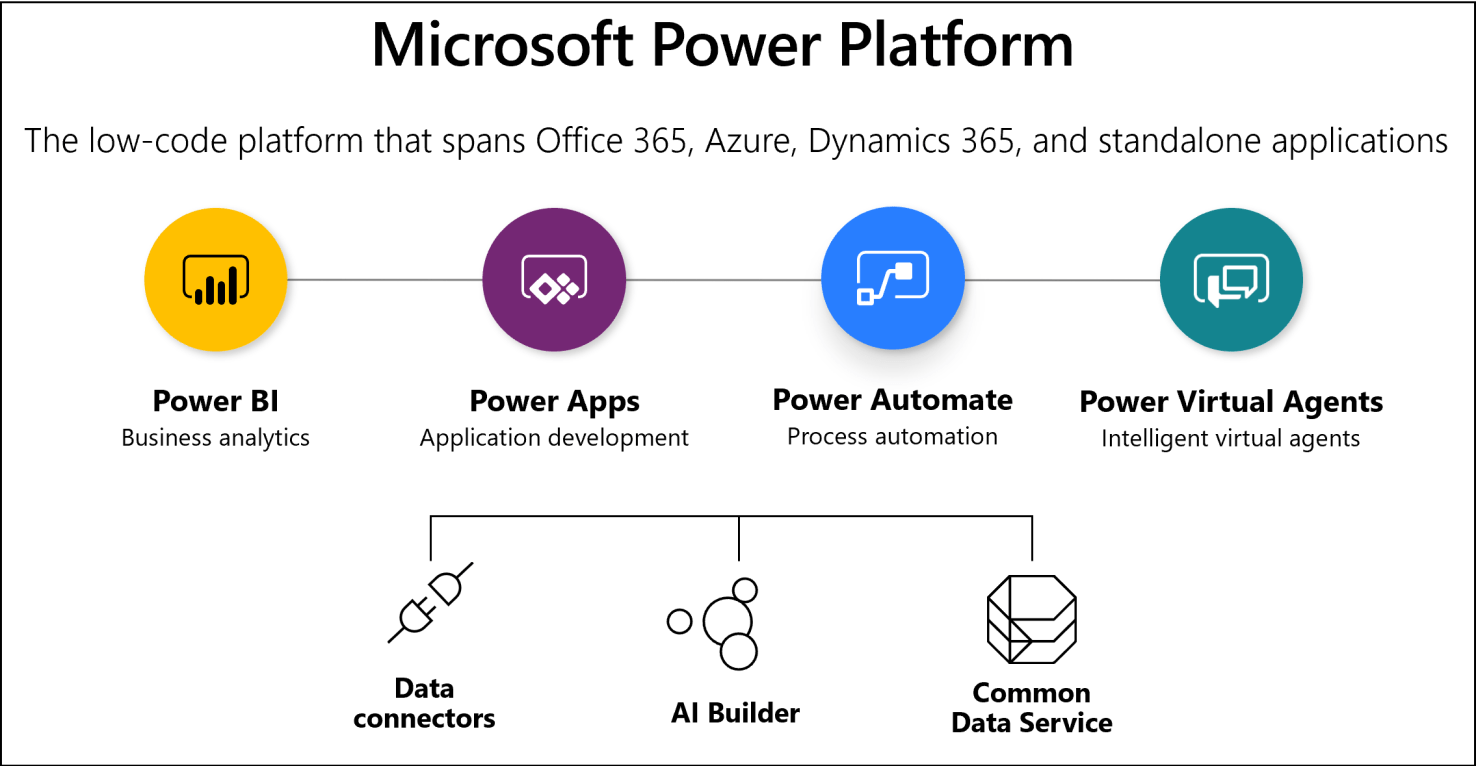
Before we address the question, let’s discuss exactly what the Office 365 platform is and what it consists of. The framework is formally known as the Microsoft Business Application Platform, sometimes referred to as the “Power Platform”, and consists of a series of tools that are provided with Office 365 licenses. The major building blocks consist of:
Power Apps – An application for creating custom business apps that connect to various sources of data and work across web and mobile platforms. At DynamicPoint we specifically use this tool for creating such forms as vendor onboarding, customer order entry, employee expense reports, as well as accounts payable check request forms. Basically it comes in handy anytime there is a need for an app or form required to initiate a process and interact with your ERP data.
Power Automate – The service used for automating workflow across various users and applications. We leverage this product quite extensively for all workflow needs across all of our products. Routing invoices for approval, assigning expense reports to managers, reviewing customer or vendor updates in the portal, etc.
Power BI – A Business Analytics platform which can be used for creating reports and dashboards, inclusive of interactive visualizations. This comes in handy for all things reporting across our products. Details on employee expenditures, analysis of AP spending, and vendor performance to name a few. If there is a need for a report for any of the data within our products, this is our application of choice.
So at a very high level, those are the major building blocks (there are more but can’t cover them all) of the Microsoft Business Application Platform. So now let’s shift to the question of why do we use all of these products to deliver DynamicPoint’s applications. There are many reasons but to name a few:
You Most Likely Already Own it – All of these applications already come with most Office 365 subscriptions. So here is an opportunity to leverage your existing investments as much as possible.
Efficiency – In a report published by Forrester (study can be found here), using this platform results in an average of 70% reduction in development costs with an ROI of 362%. So simply put, we are using the wheel as opposed to inventing it. These products come with a proven return that we desire to harness.
Reduced Cost – Not only are we using tools you already own but more importantly, we are not introducing our own that need to be installed and maintained. So we can charge less for our applications, and not leave you with another set of products to maintain. So less dependency on 3rd party tools.
More Functional – By using an application toolset that is leveraged by organizations all over the globe and developed by one of the most successful companies in modern history, you are receiving the best of bread features that have seen explosive growth in the past few years. Just within the past year Power Apps has seen a 3 time increase in users. So with this growth comes more features and functionality that will continue to be evolved by Microsoft.
Contact us today to learn how you can easily start increasing your ROI by utilizing our robust applications.