
Overview
In order for DynamicPoint custom connectors to communicate with our Azure environment, cross-tenant exceptions must be configured. This is performed from the Power Platform admin center.
Power Platform Admin Center
The Power Platform admin center can be accessed from this URL: https://admin.powerplatform.microsoft.com/
Or use this URL and skip to step 3: https://admin.powerplatform.microsoft.com/security/idaccessmanagement?feature=TenantIsolation
Instructions
- Click on security from the left hand navigation and then on the Identify and Access Section
- Select Tenant isolation
- Turn on Restrict cross-tenant connections
- Enter the DynamicPoint tenant ID of 9409a44d-fc40-4daf-8cbd-33a8d837f52c with Inbound and outbound allowed
- Select save
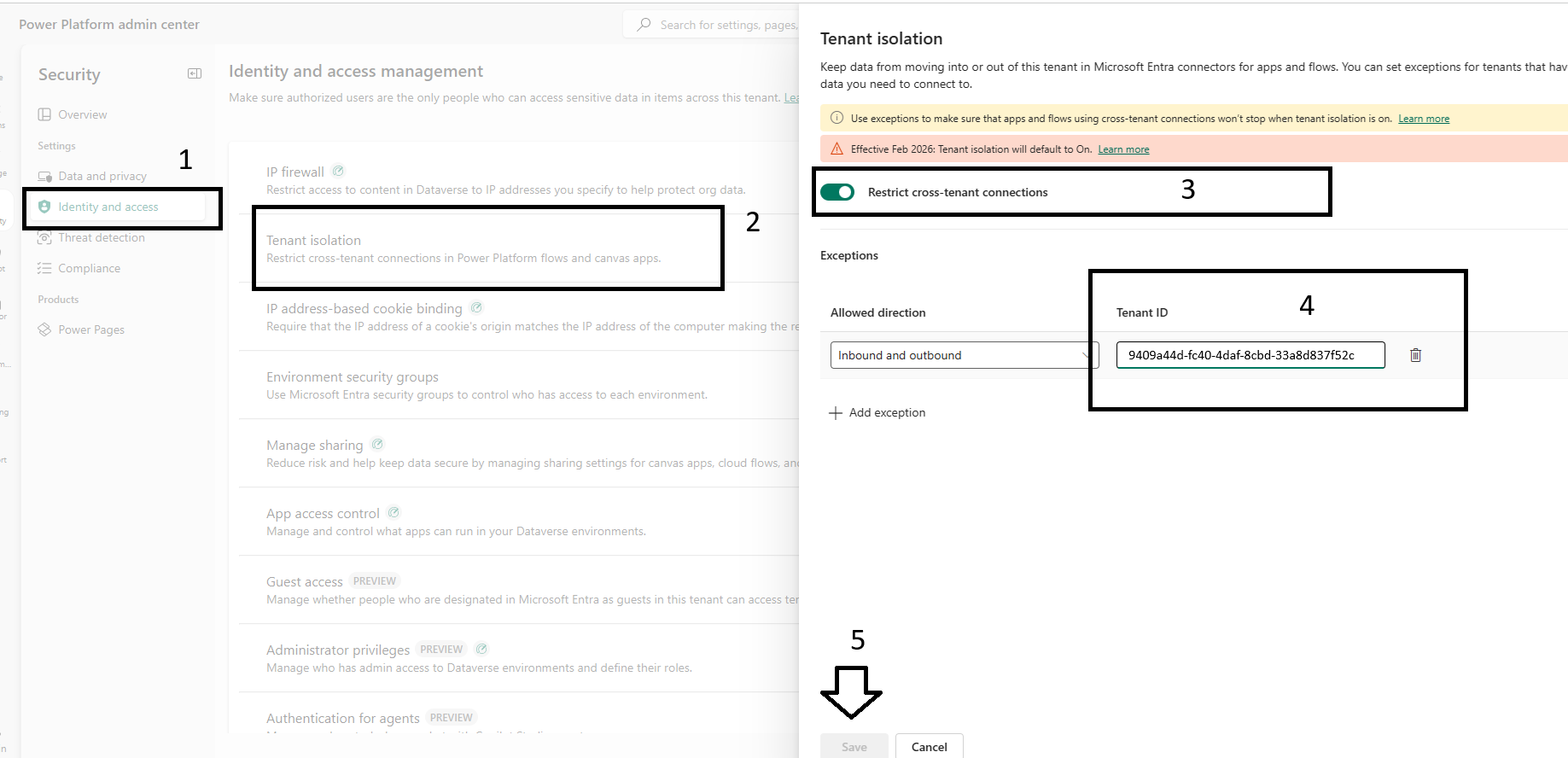
The configuration of the cross tenant exception is complete.