
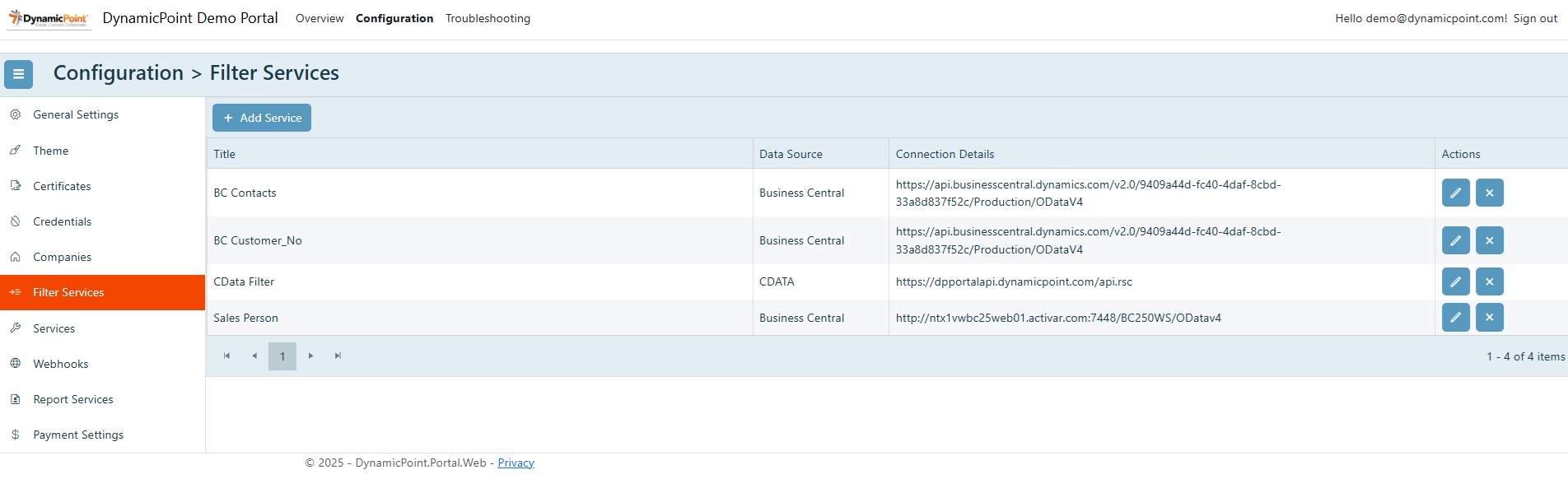
Filter services are used to define dynamic filters that will be used to retrieve data from the data source. Their primary purpose is to associate the user, as represented by a logged in email, to a unique identifier that will later be used to filter the data that belongs to them and is therefore to be displayed in the portal. Typically the identifier is a customer, vendor, employee or salesperson ID.
General
The general section of the filter service creation wizard contains the basic settings.
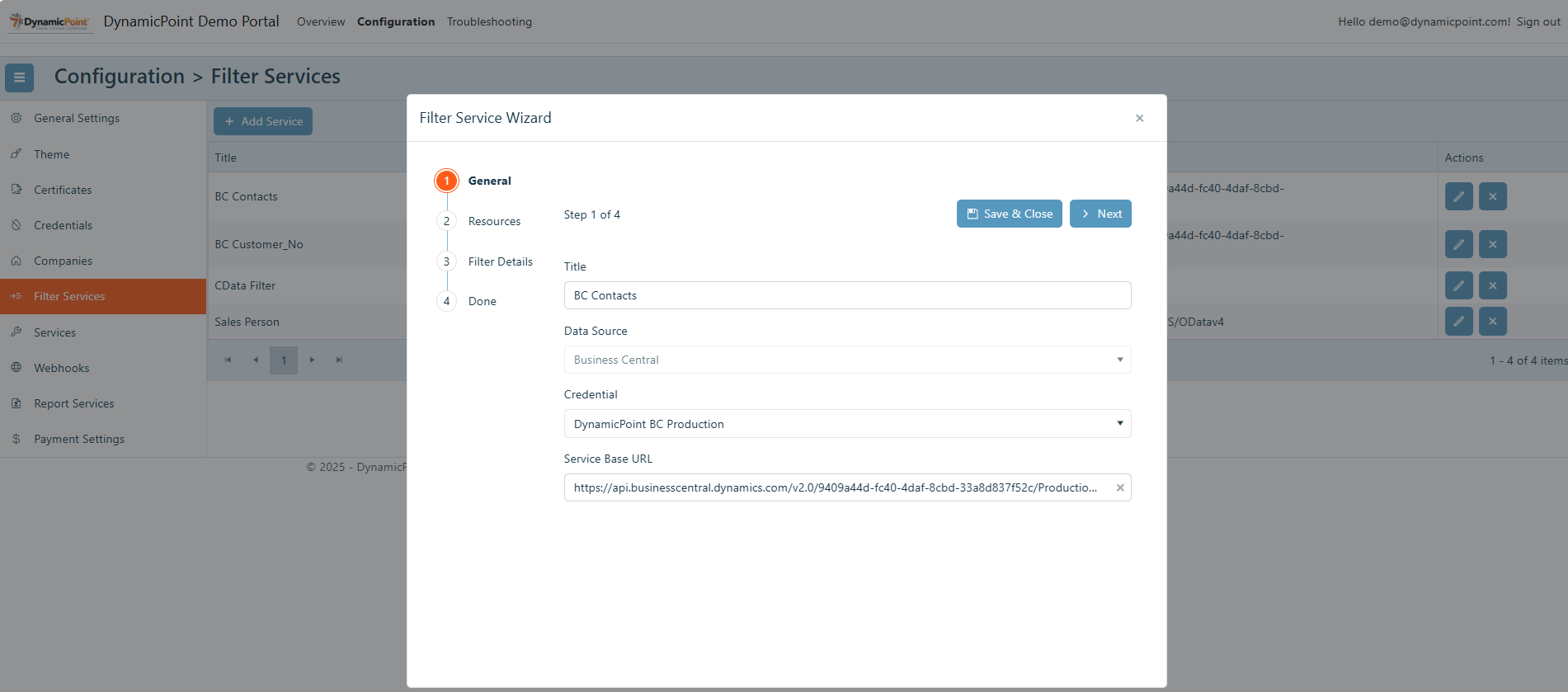
- Title
User defined name of the filter. - Data Source
Select the appropriate data source. - Credential
The credential that will be used to connect to the filter service data source. - Service Base URL
The base URL of the API that will be used to retrieve the filter service data.
Resources
The resources section of the filter service creation wizard contains the details of the API resource to be used.
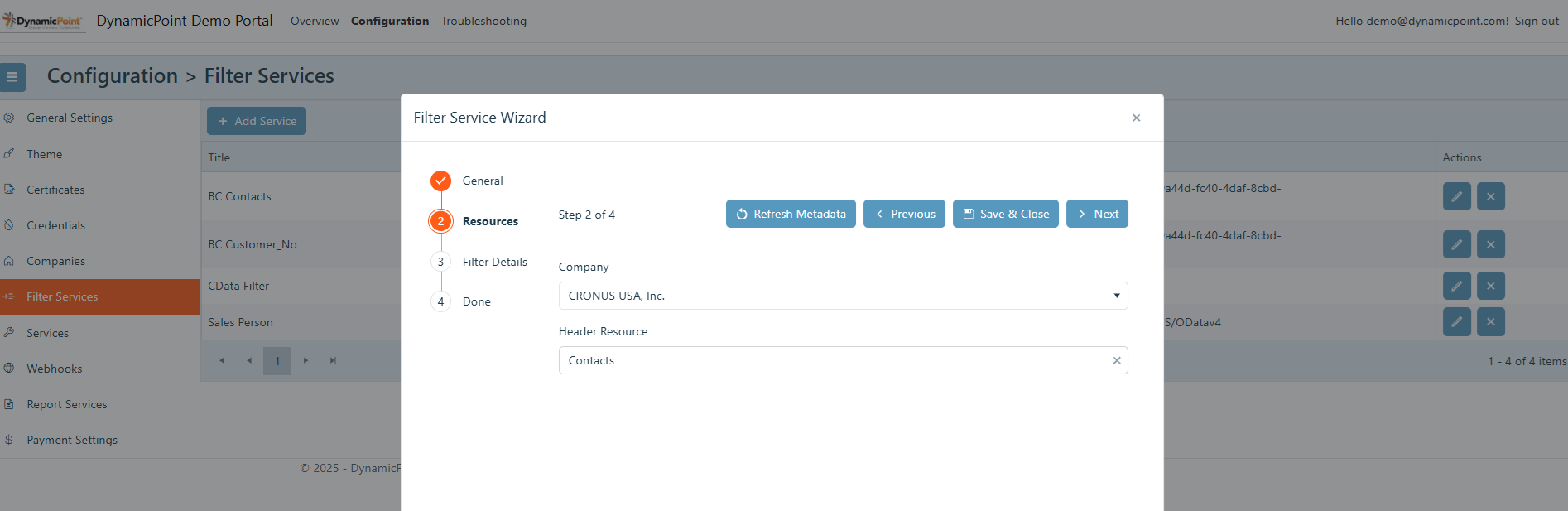
- Company
The previously configured company that will be included in the URL of the API. - Header Resource
The API ODATA resource that will associate the user’s email with their unique identifier.
Filter Details
The filter details section of the filter service creation wizard contains the details of the email and unique identifier field.
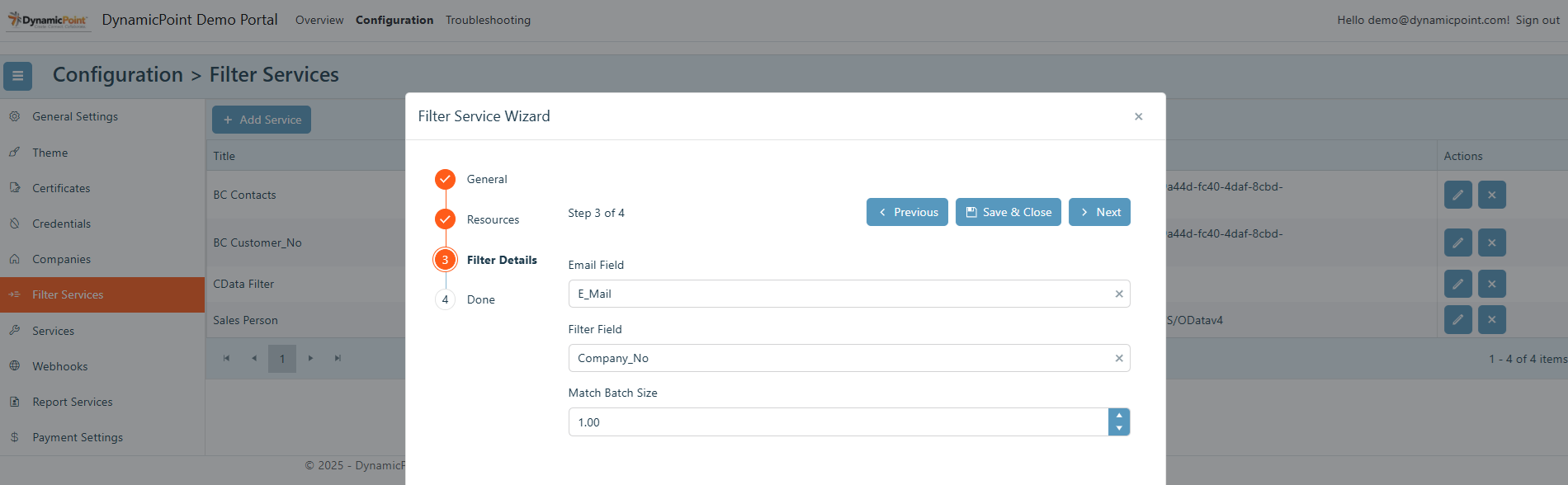
- Email Field
The data source column that contains the email to be matched to the logged in user. - Filter Field
The data source column that contains the unique identifier to be used as the key in retrieving data. - Match Batch Size
As the user’s email may return numerous filter field results, the URL can become too large for the data source to process. The match batch size defines how many results will be returned at a time in a single batch and subsequently used to querying the data source.