
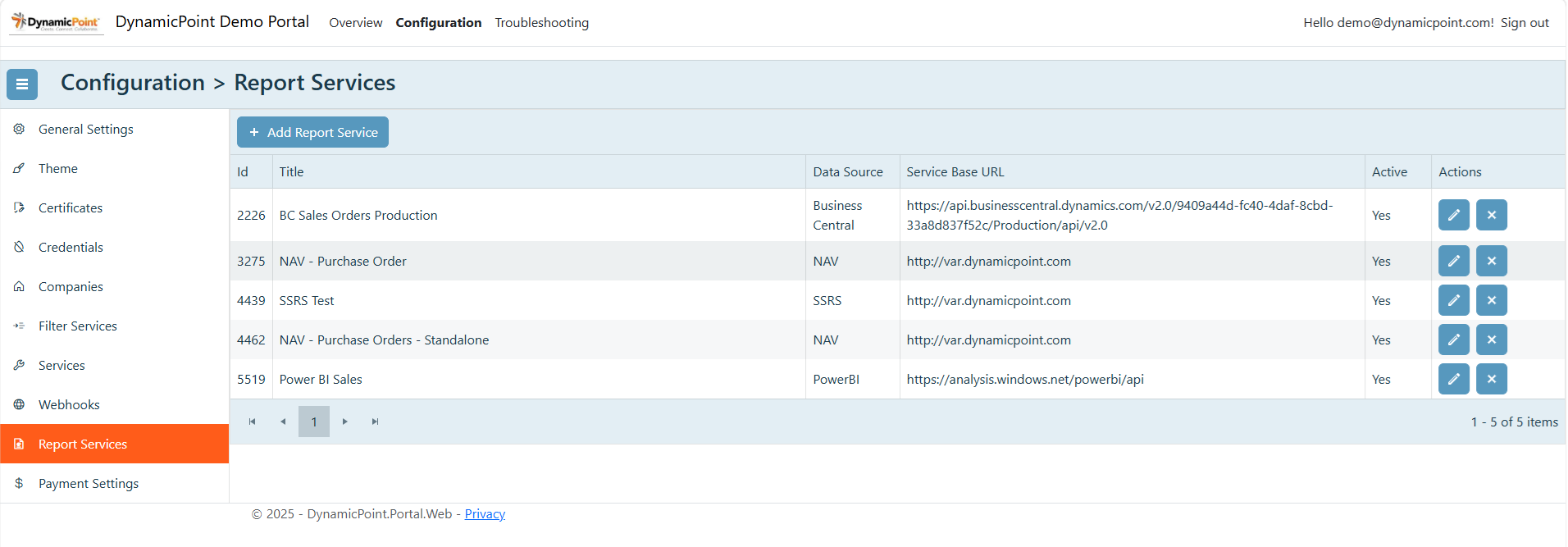
The Report Services section enables the integration of reports that will be called from an ERP or other reporting software system.
General
The general section of the report service creation wizard contains the basic settings.
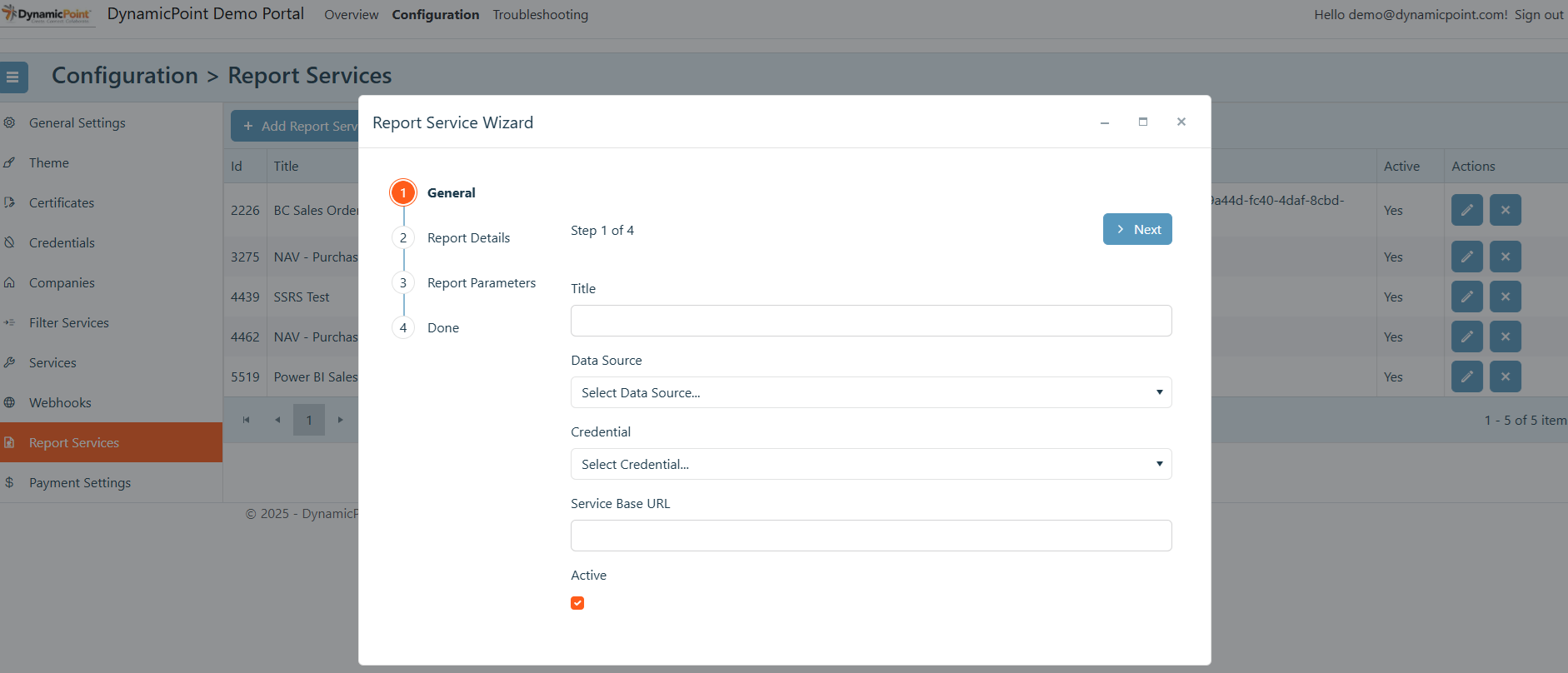
- Title
User defined name of the report service. - Data Source
The type of report that will be integrated in the portal. - Credential
The credential that will be used to authenticate with the report provider. - Service Based URL
The URL of the report service. - Active
Denotes if the report service configuration is active and shows up in configuration options.
Report Details
The report details section contains additional configuration parameters for communicating with the report service.
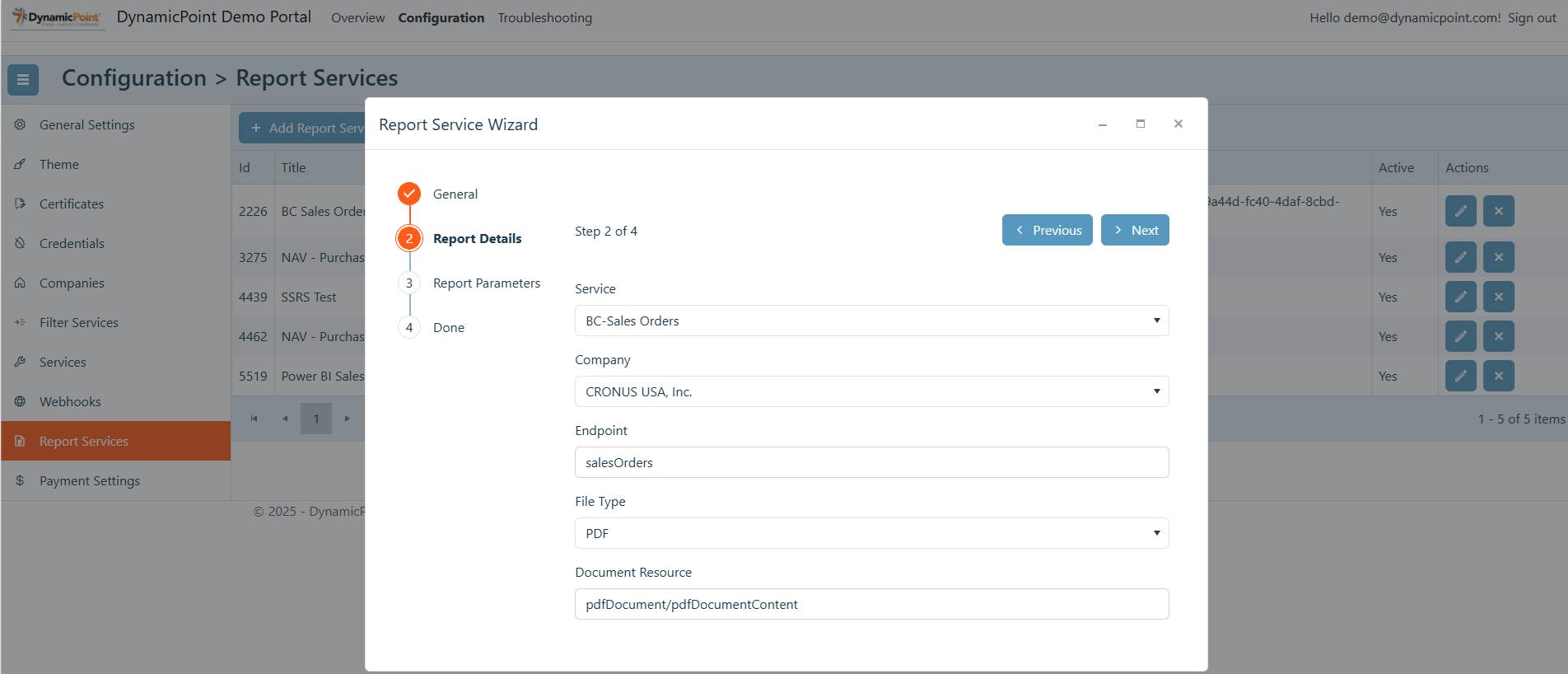
- Service
If the report is to be associated with a service, select it here. If the report is stand-alone and not associated with a service, then leave this field blank. - Company
The company identifier that will be added to the service URL. - Endpoint
The name of the desired report or function. - File Type
The type of file that is to be generated. - Document Resource
The suffix of the service URL, if one is needed for the report being invoked.
Report Parameters
The report parameters section defines the parameters that will be passed to the report service.
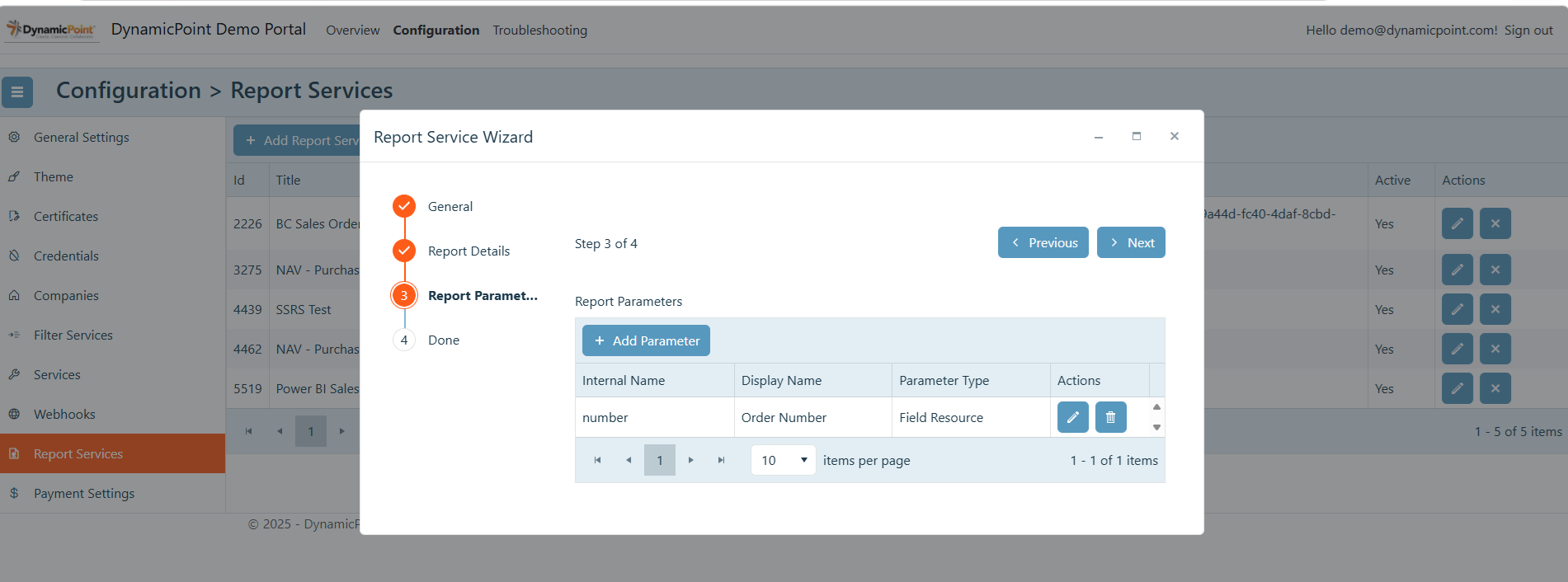
- Internal Name
The internal name of report parameter found in the report. - Display Name
The friendly name of report parameter found in the report. - Parameter Type
This determines how the parameter will be obtained.- Constant – Is a constant value will be passed to the report
- User – Will prompt the user for a value that will be passed as a parameter
- Token – System generated values
- Mapped – Value is obtained from a filter service
- Resource Field – Value is obtained from the service the report is associated with