
The Payment Settings section enables the integration of payment provides so that electronic payments can be processed from the portal.
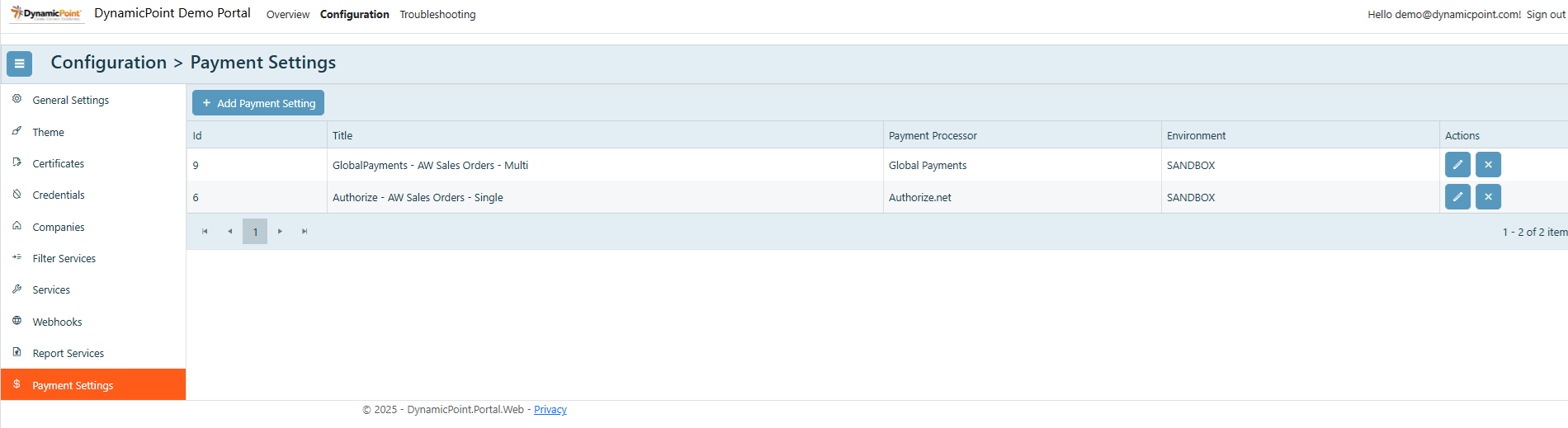
General
The general section of the payment settings creation wizard contains the basic settings.
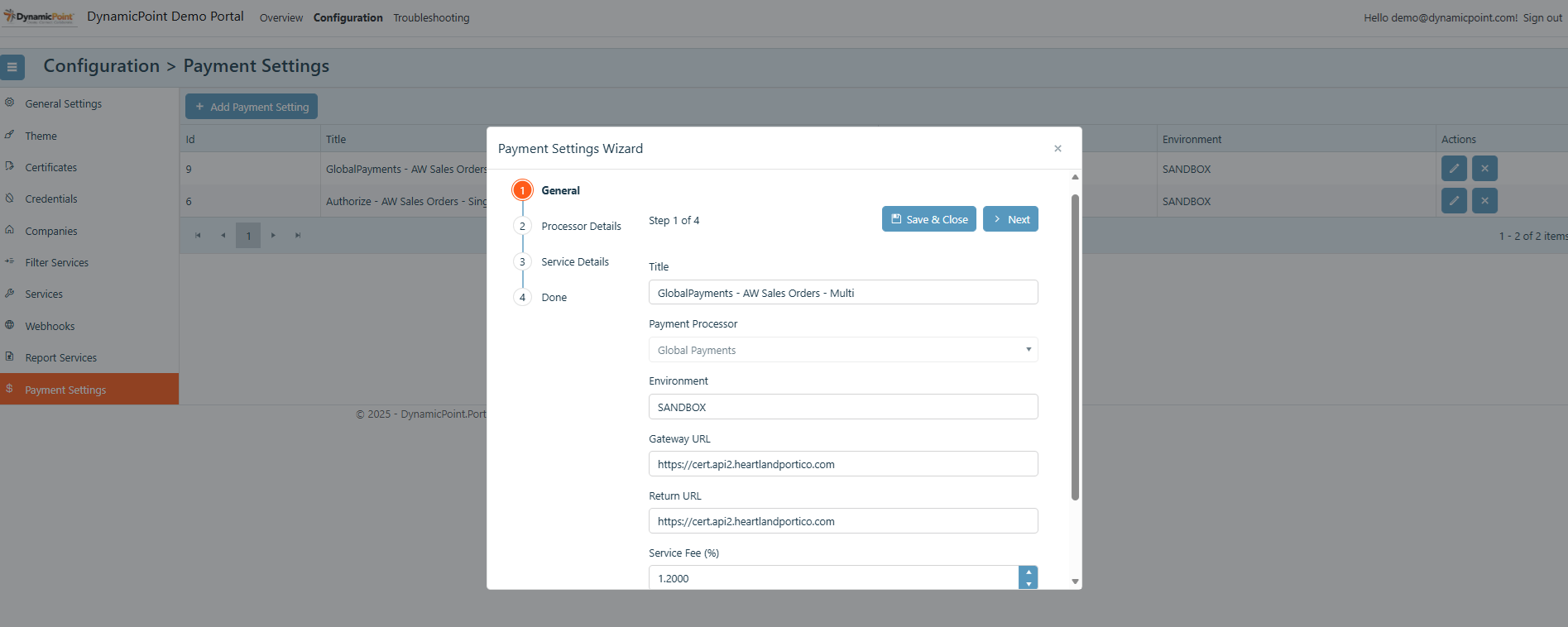
- Title
User defined name of the payment service. - Payment Processor
The payment processor that is to be integrated with the portal. - Environment
The processing environment, such as SANDBOX or PRODUCTION. - Gateway URL
The URL of the payment processor gateway. - Return URL
The URL that the payment service will return to after complete. This is typically the SharePoint page on which service is configured. - Service Fee
If you’d like to include a service fee for accepting credit card payments, configure the percentage in this field. - Currency Culture
The language that will be used.
Processor Details
The processor details section contains additional login and authentication settings required for communicating with the payment processor.
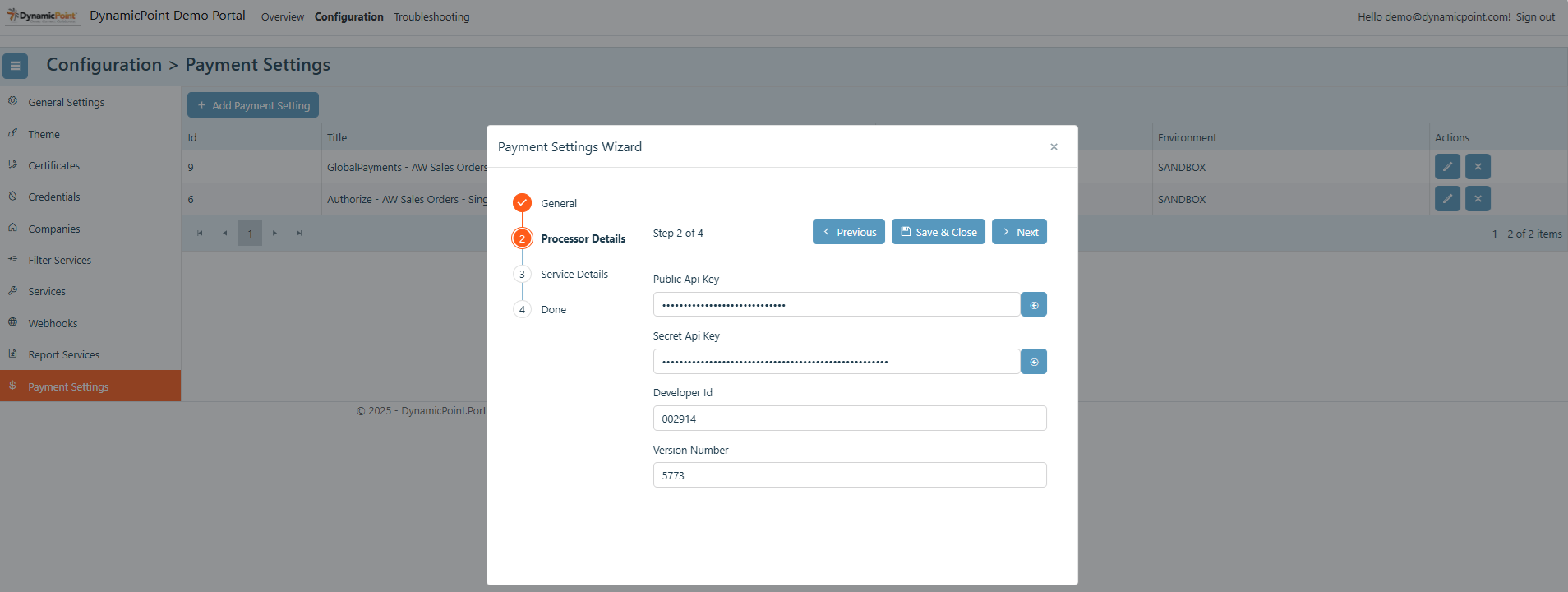
This settings vary and can be obtain directly from the payment processor.
Service Details
The service details section defines the service the payment provider will be associated with as well as the field values that will be passed.
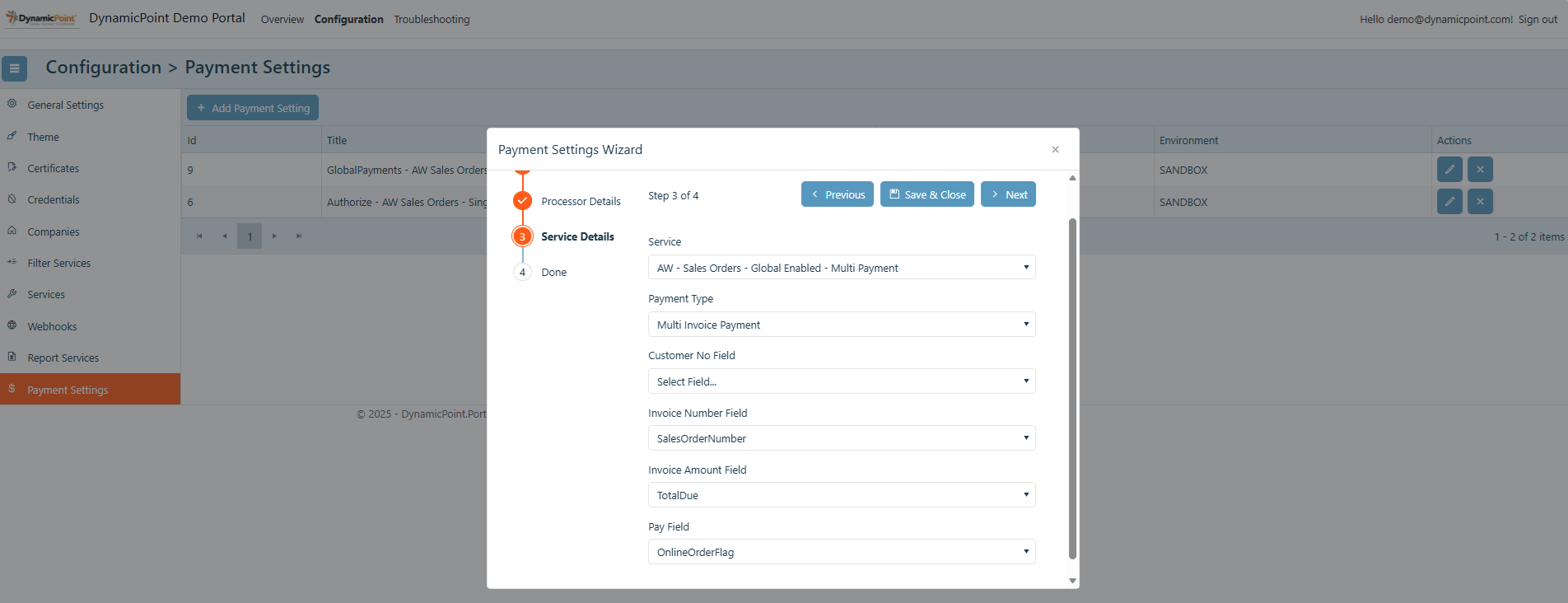
- Service
Select the service the payment processor will be associated with. - Payment Type
A payment can be made for each single transaction or multiple transactions. - Customer No Field
The column value that will be passed as the customer number. - Invoice Number Field
The column value that will be passed as the invoice number. - Invoice Amount Field
The column value that will be passed as the invoice amount. - Pay Field
This field must be a Boolean field that is updated when a payment is made. This will allow the service to be filtered to exclude paid transactions.