
The Credentials section is used to define the credentials that will be used to authenticate to either ERP, database or reporting services. The portal leverages these credentials to integrate with these line of business (LOB) systems such that the data can be displayed in the portal.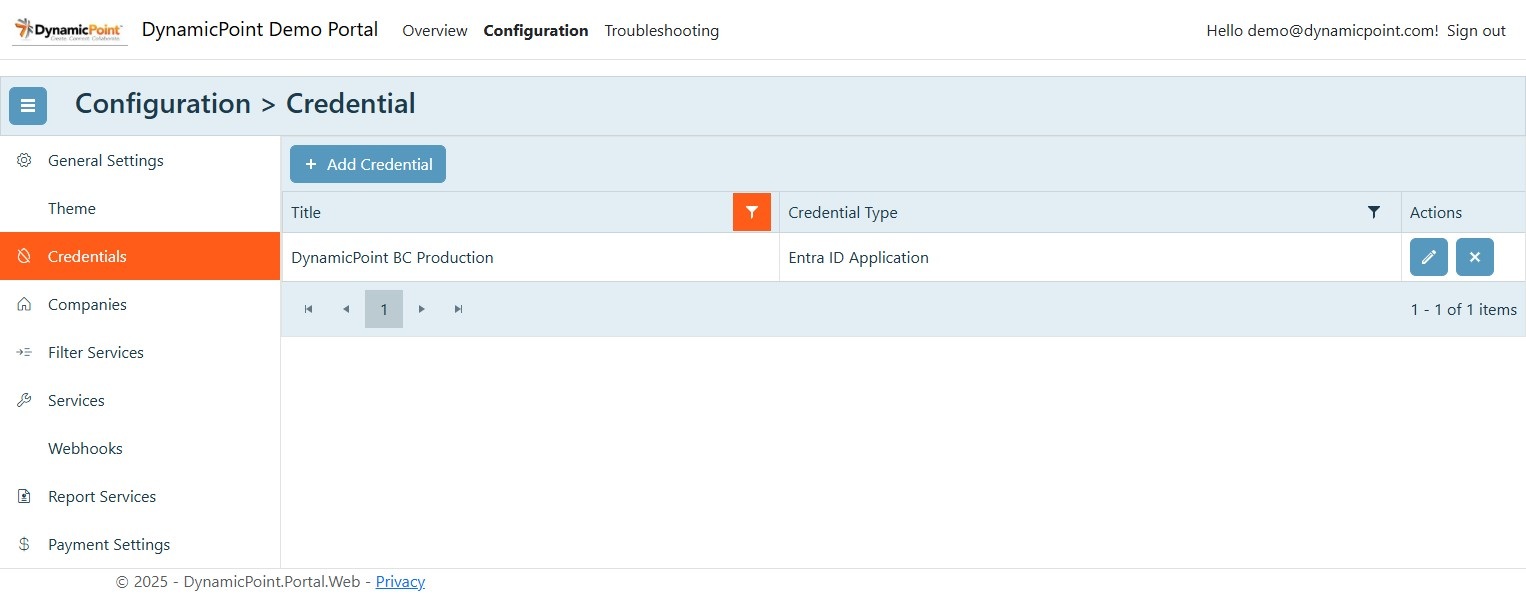
- Basic / NTLM
- Entra ID Application
- Entra ID Delegate
Basic / NTLM
This authentication method supports basic or simple authentication. It is the least secure method and should only be used when required.
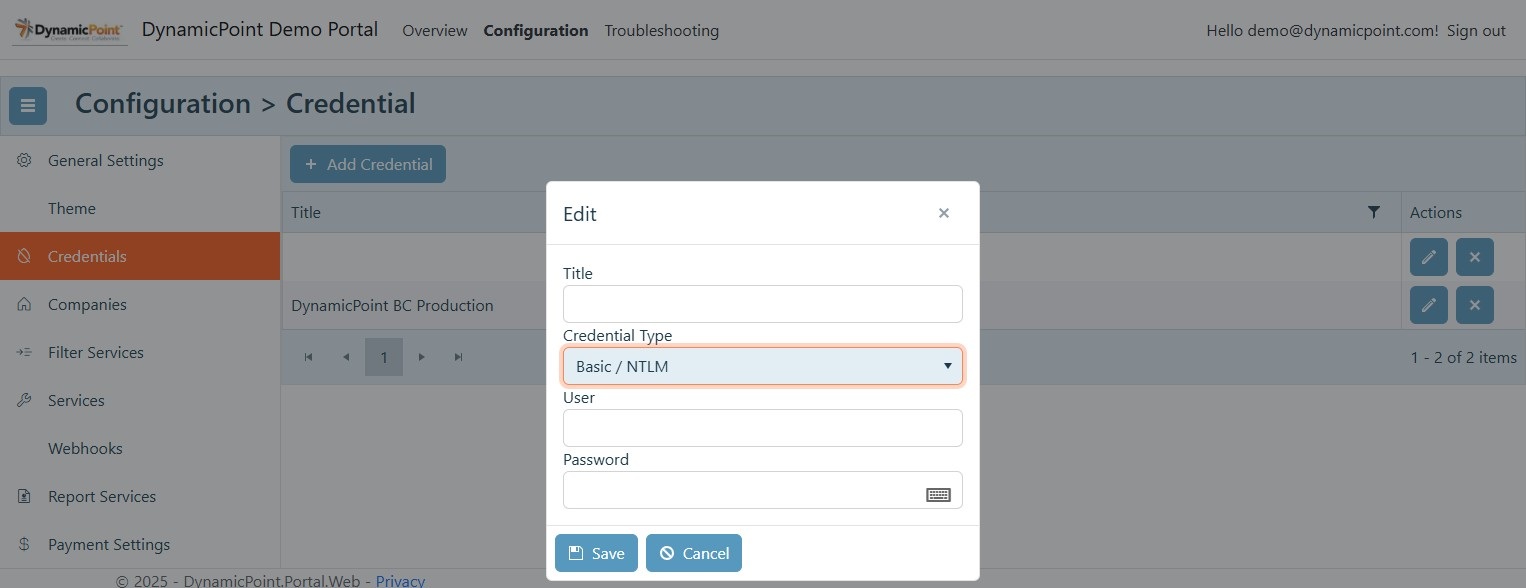
This method requires the following configuration:
- Title – The name of the saved credentials. This will be displayed when the credential is selected in other areas of the application, so be descriptive.
- Credential Type – Basic / NTLM
- User – The user name
- Password – The user password
Entra ID Application
This authentication method supports Entra ID application authentication.
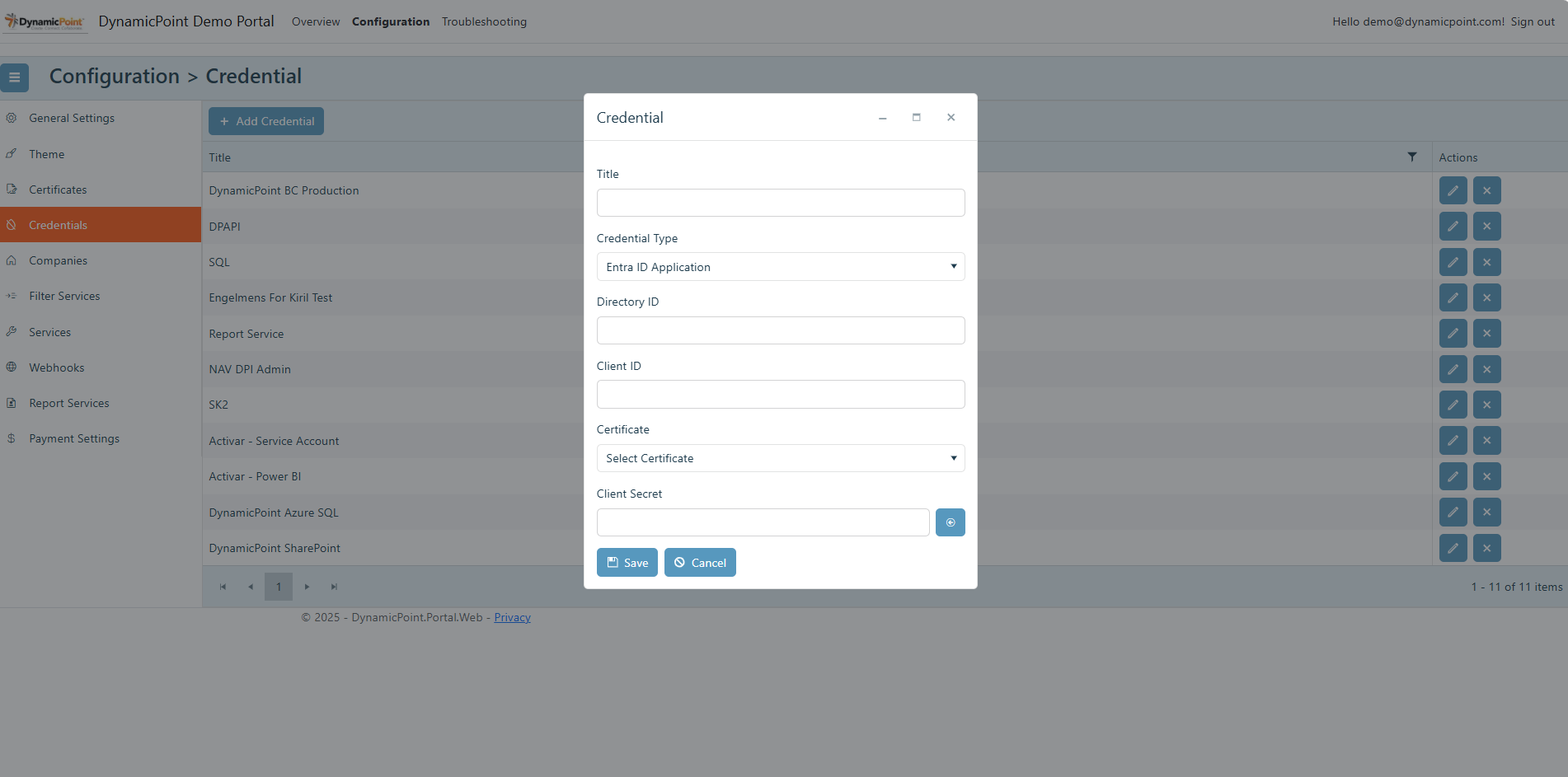
This method requires the following configuration:
- Title – The name of the saved credentials. This will be displayed when the credential is selected in other areas of the application, so be descriptive.
- Credential Type – Entra ID Application
- Directory ID – The directory ID of the tenant
- Client ID – The client ID of the app registration
- Certificate – The configured certificate if this option is being used for authentication instead of client secrets
- Client Secret – The client secret of the app registration
Entra ID Delegate
This authentication method supports Entra ID delegate authentication.
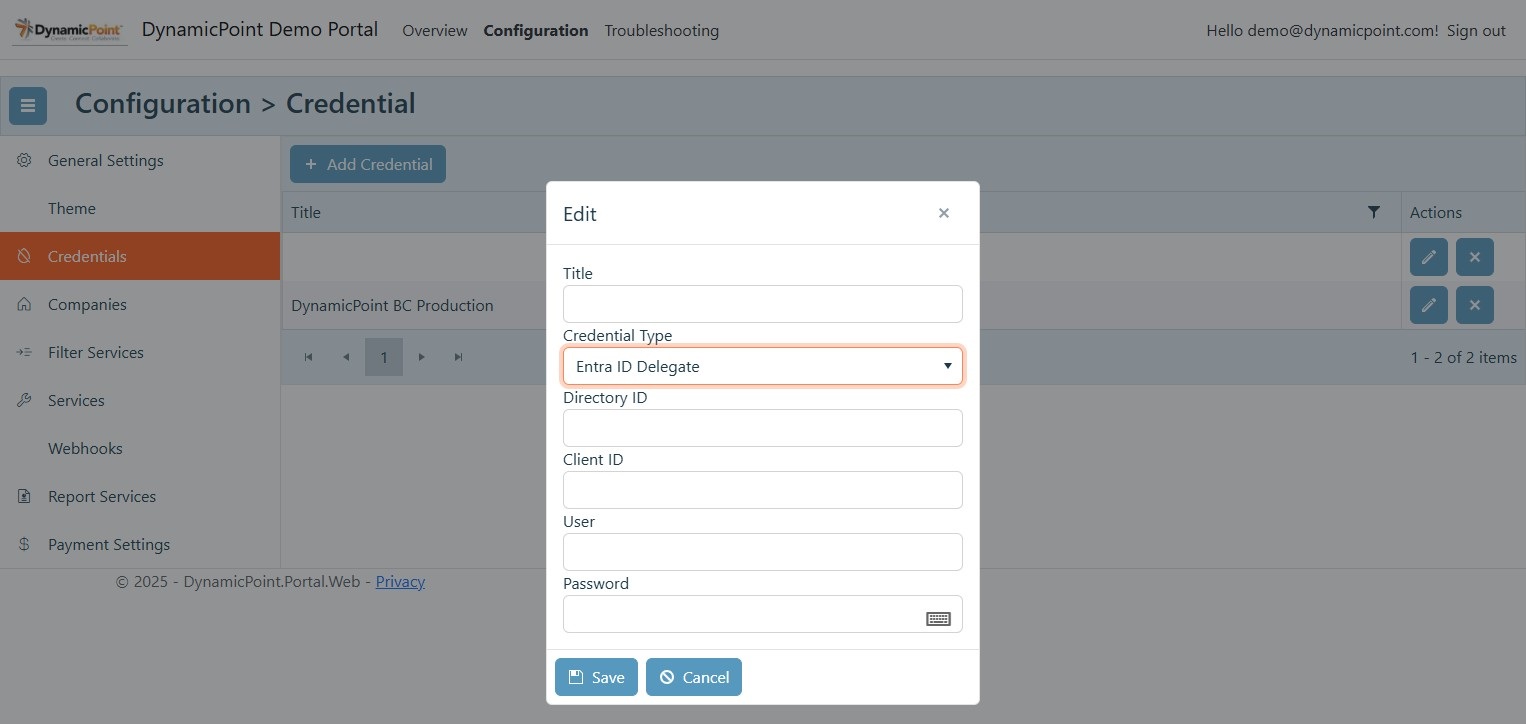
This method requires the following configuration:
- Title – The name of the saved credentials. This will be displayed when the credential is selected in other areas of the application, so be descriptive.
- Credential Type – Entra ID Delegate
- Directory ID – The directory ID of the tenant
- Client ID – The client ID of the app registration
- User – The user name
- Password – The user password